
Save Instagram posts
Save the Instagram post. Search what was inside it.
Instagram's save button remembers the post. Zephlo is for the moment later when you only remember the restaurant, ingredient, person, or sentence that made the post useful.
Share a public post from iPhone
Open Instagram's share menu, choose Zephlo, and send the public post or Reel into your private library.
- Keep the original Instagram link and creator context with the save.
- Use the same flow for Facebook, TikTok, YouTube, Threads, X, Reddit, and other supported sources.
- Private, deleted, or inaccessible posts may remain as links without extracted details.
Turn a post into the right kind of save
Zephlo reads the public content and organizes the useful details by what the post actually contains.
- Recipe posts can become ingredients, steps, and adjustable servings.
- Place posts can keep address, rating, hours, and map actions.
- Articles and videos can keep summaries, key ideas, people, products, topics, and captions.
Find the post without remembering its title
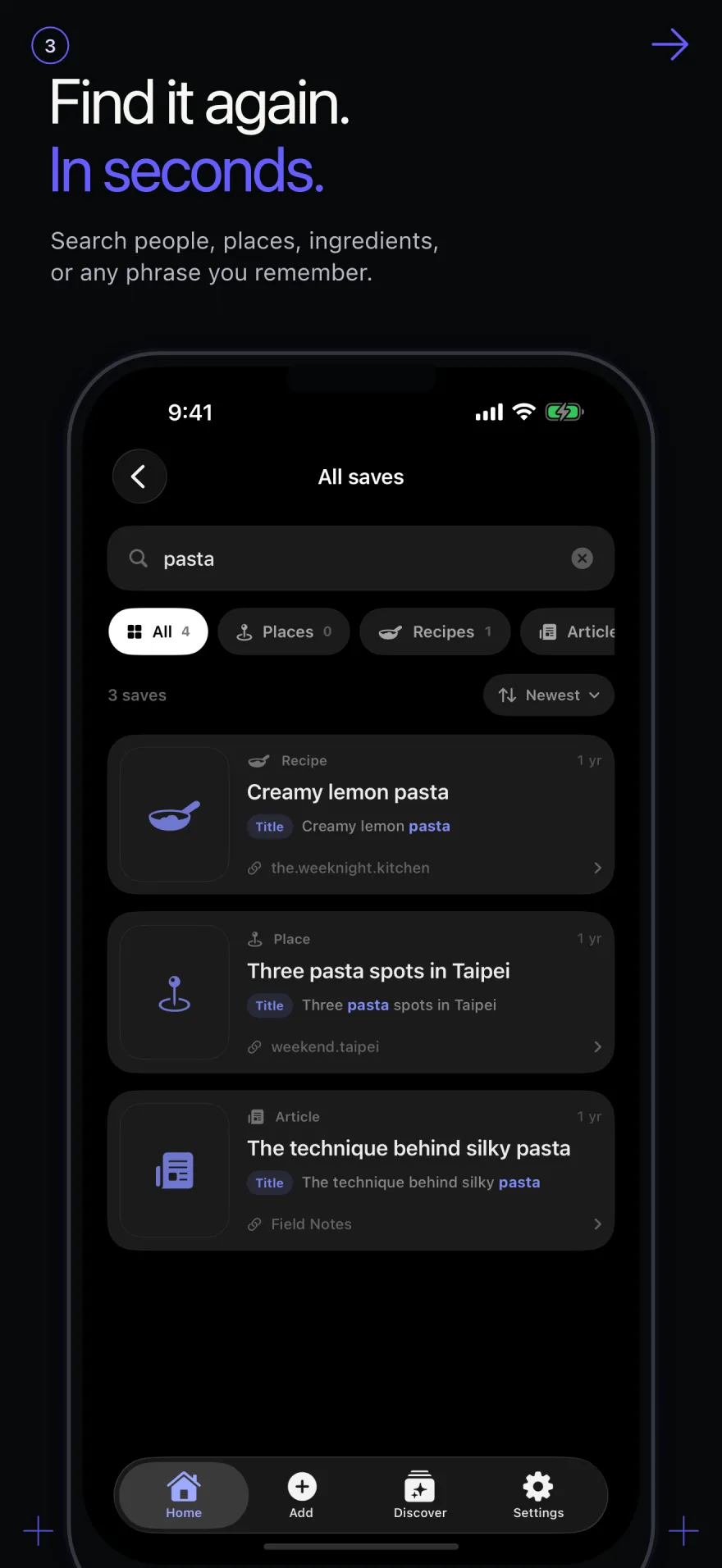
Search across the details Zephlo extracted, not only the post's caption or URL.
- Search people and aliases, dishes, ingredients, places, captions, and phrases.
- See the matching reason and open the original post when you need full context.
- Sort, filter by content type, or group saves in nested collections.
Common questions
Questions about Zephlo
How do I save an Instagram post to Zephlo?
On iPhone, open the share menu for a public Instagram post or Reel and choose Zephlo. You can also copy and paste the public link into the app.
Does Zephlo download Instagram photos or videos?
No. Zephlo organizes information available from a shared public link and keeps the original source. It is not a media downloader, and the creator keeps ownership of the source content.
Can Zephlo read private Instagram posts?
No. Extraction depends on content being publicly accessible. A private, deleted, or unavailable post cannot be reliably extracted, and failed extraction does not use a credit.